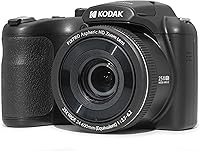
7 Best Kodak PIXPRO Cameras (November 2026)
The best Kodak PIXPRO cameras include the Kodak PIXPRO FZ55 for everyday pocket carry, the Kodak PIXPRO FZ45 for charger-free day trips, and the Kodak PIXPRO AZ255 for sightseeing from afar.
On this page (9 sections)
- How we chose these Kodak PIXPRO cameras
- Kodak PIXPRO camera features compared
- The best Kodak PIXPRO cameras for different needs
- How to choose a Kodak PIXPRO camera for your actual photos
- What optical zoom, stabilization and megapixels mean in use
- How to set up your PIXPRO before the first outing
- How to get sharper photos and more useful clips
- Camera care and mistakes to avoid
- Which Kodak PIXPRO camera should you choose?
The Kodak PIXPRO FZ55 is the best Kodak PIXPRO camera for everyday snapshots because it combines easy carry with useful optical zoom. Pick another model when your main need is replaceable batteries, distant wildlife, water protection or a screen that faces you.
Start with the photos you actually take. A camera for walking around town needs different features from one for birds across a lake or a snorkeling trip.
If you're weighing a separate camera against your phone, read our guide to whether compact cameras are worth it. For alternatives across brands, see our best point and shoot cameras.
Our picks at a glance
-
1

-
2

-
3

How we chose these Kodak PIXPRO cameras
Everyday usefulness comes first, followed by features that serve a specific activity. We compared carrying style, lens range, battery routine, screen design and protection against water or dust.
The ranking favors a camera that casual photographers can use often. A lower-ranked specialist can still be your strongest choice when its main feature solves the reason you're buying a camera.
We also separated optical reach from digital enlargement. Extra megapixels or a larger zoom number should serve your subjects, rather than decide the choice on their own.
Kodak PIXPRO camera features compared
Choose your camera type and power source before comparing smaller details. The table shows which models fit pocket carry, longer-distance photography and different battery routines.
| Product | Best for | Sensor | Optical zoom | Power | Our score |
|---|---|---|---|---|---|
| Kodak PIXPRO FZ55 | everyday pocket carry | 16MP CMOS | 5x | Rechargeable lithium-ion battery | 9.1 |
| Kodak PIXPRO FZ45 | charger-free day trips | 16MP CMOS | 4x | 2 AA alkaline batteries | 8.6 |
| Kodak PIXPRO AZ255 | sightseeing from afar | 16MP CMOS | 25x | 4 AA alkaline batteries | 7.8 |
| Kodak PIXPRO AZ528 | distant wildlife watchers | 16MP BSI CMOS | 52x | Rechargeable lithium-ion battery | 7.5 |
| Kodak PIXPRO AZ405 | roadside wildlife stops | 20MP CMOS | 40x | 4 AA alkaline batteries | 7.2 |
| Kodak PIXPRO WPZ2 | snorkeling and paddling | 16MP BSI CMOS | 4x | Rechargeable lithium-ion battery | 7.1 |
| Kodak PIXPRO C1 | self-framed travel clips | 13MP CMOS | None; fixed 26mm lens | Built-in rechargeable lithium-ion battery | 7.0 |
All 7 record 1080p video, so that shared feature does little to narrow this group. Self-framing, optical reach and how you'll keep the camera powered matter more.
The best Kodak PIXPRO cameras for different needs
The FZ55 suits the broadest range of casual buyers, while the other models answer more specific needs. Each write-up explains when to choose it and when another camera makes more sense.
Kodak PIXPRO FZ55: Best for everyday pocket carry
- 16MP CMOS sensor
- 5x optical zoom
- 28mm wide angle
- 1080p video
- Rechargeable battery with USB charging
The most straightforward choice for casual trips and family snapshots. Its slim body and optical zoom suit buyers who want a separate camera they can carry often.
Pros
- Pocket-friendly body
- Useful everyday optical zoom
- USB charging
Cons
- Limited reach for distant wildlife
- Charging occupies the camera
The FZ55 is the sensible choice for walks, holidays and family snapshots when you want a separate camera close at hand. Its 5x optical zoom lets you change framing without moving across a room or stepping into a busy street.
The lens starts at a 28mm wide angle, useful for scenery and groups. Its slim shape suits a pocket or small bag, so carrying it doesn't require planning an outing around photography.
Choose this model if you'll charge it as part of your usual evening routine. Skip it if most of your subjects are far across a field, or if replacing batteries immediately matters more than recharging.
For indoor family pictures, keep people near available light and avoid zooming farther than necessary. A closer position usually makes more sense than trying to photograph a dim room from the doorway.
Our Kodak FZ55 vs FZ45 comparison explains the battery trade-off. The fuller Kodak PIXPRO FZ55 review helps if this is your likely choice.
Kodak PIXPRO FZ45: Best for charger-free day trips
- 16MP CMOS sensor
- 4x optical zoom
- 27mm wide angle
- 1080p video
- Uses 2 AA alkaline batteries
Choose this small point-and-shoot when carrying spare AA batteries fits your routine better than charging. It suits family outings and occasional use.
Pros
- Replaceable AA power
- Wide framing for groups
- Small everyday carry
Cons
- Shorter optical reach than the FZ55
- Depleted alkaline batteries need replacing
The FZ45 suits occasional photographers who want to pack spare batteries and leave charging out of the day's plans. It runs on 2 AA alkaline batteries, which makes a fresh pair easy to keep with your camera supplies.
Its 4x optical zoom starts at a 27mm wide angle. That range suits nearby people, street scenes and broad holiday views better than wildlife far from your path.
Choose it for family day trips or as a simple camera shared between adults. Skip it if you dislike keeping replacement batteries ready or regularly need a tighter view of distant details.
Replace both batteries together and keep loose cells away from keys or other metal objects. Don't assume connecting a USB cable will recharge alkaline batteries.
The modest zoom also encourages a useful habit: move to a better position when it's safe, rather than enlarging every scene from where you first stop. Our compact cameras for travel guide covers more choices for that kind of trip.
Kodak PIXPRO AZ255: Best for sightseeing from afar
- 25x optical zoom
- 24mm wide angle
- Optical image stabilization
- Uses 4 AA batteries
- 1080p video
A bridge camera for travelers who photograph both broad views and distant details. Choose it when the short zoom of a pocket camera would limit your framing.
Pros
- Wide-to-telephoto lens range
- Optical image stabilization
- Replaceable AA power
Cons
- Less reach than the other AZ picks
- Requires a larger spare battery set than the FZ45
The AZ255 is for travelers whose photos include distant buildings, animals beyond a fence and details across a scenic overlook. Its 25x optical zoom covers a much wider range of framing than either FZ model.
The lens spans 24–600mm equivalent, combining a broad view with telephoto reach. Optical image stabilization helps reduce blur caused by your hands, while 4 AA batteries provide replaceable power.
Choose it when you want to explore longer-distance photography without making the longest lens your main requirement. Skip it if you mostly take nearby portraits and want a camera that slips into your everyday pocket.
Start with a wide view to find your subject, then zoom in gradually. At long focal lengths, a small hand movement can push an animal or architectural detail out of the frame.
The AZ255 makes most sense for subjects that give you time to compose. For fast movement, don't treat extra reach as proof that every frame will be sharp.
Kodak PIXPRO AZ528: Best for distant wildlife watchers

- 52x optical zoom
- 24mm wide angle
- Optical image stabilization
- Built-in Wi-Fi
- 6fps burst shooting
The longest-reaching choice here also adds wireless transfer and burst shooting. It suits buyers whose main subjects stay far away and who can plan around rechargeable power.
Pros
- Longest optical reach in this group
- Wi-Fi transfer and remote view
- 6fps burst shooting
Cons
- Cannot run on AA batteries
- Fixed screen limits self-framing
The AZ528 is the choice for buyers who regularly want tighter views of distant wildlife or outdoor action. Its 52x optical zoom provides the longest reach in this group, and its 24mm starting point still covers broad scenery.
It combines optical image stabilization with 6fps burst shooting. A short burst gives you several frames to inspect for expression, wing position or subject movement, though it doesn't guarantee focus or freedom from blur.
Built-in Wi-Fi supports phone or tablet transfer and remote live view. Choose it if those tools suit your routine and you're happy to manage a rechargeable lithium-ion battery.
Skip it if your main photos are meals, nearby friends or indoor gatherings. You'd be choosing a long-distance tool for subjects that rarely need its main feature.
For wildlife, keep a wide view until you locate the subject, then tighten the framing. Leave some space around a moving animal so a sudden step doesn't cut it off.
Kodak PIXPRO AZ405: Best for roadside wildlife stops

- 40x optical zoom
- 24mm wide angle
- 20MP CMOS sensor
- Optical image stabilization
- Uses 4 AA batteries
Choose the AZ405 when you want substantial telephoto reach with replaceable power. Automatic scene detection also suits beginners who want help with common shooting choices.
Pros
- More reach than the AZ255
- Optical image stabilization
- AA power for spare battery swaps
Cons
- Less reach than the AZ528
- Four-cell spare sets add to your kit
The AZ405 fits photographers who want more reach than the AZ255 while keeping AA power. Its 40x optical zoom suits roadside wildlife stops, distant landscape details and outdoor events where you can't move closer.
The camera combines a 20MP CMOS sensor, optical image stabilization and automatic scene detection. Those features provide framing options and help with common settings, but the higher pixel count alone doesn't guarantee better picture quality.
Choose it when replaceable power is a firm preference and the shorter AZ model would limit your usual subjects. Skip it if you want the AZ528's wireless transfer or mainly photograph close subjects.
Pack a complete spare set of 4 batteries rather than a few loose replacements. Keeping used and fresh sets separate avoids confusion when you need to change them quickly.
At an event, begin with a wider scene before attempting a close view. You'll keep a useful record of the setting even if movement or poor light makes tighter shots difficult.
Kodak PIXPRO WPZ2: Best for snorkeling and paddling

- Waterproof to 15m for up to 1 hour
- Shockproof from 2m
- Dustproof
- 4x optical zoom
- 1080p video
The pick for activities involving water, sand or possible drops, within its protection limits. Its seal needs careful inspection and cleaning before and after water use.
Pros
- Rated water, shock and dust protection
- Wi-Fi photo transfer
- Optical zoom for varied framing
Cons
- Requires careful gasket and cover care
- Uses microSD rather than full-size SD
The WPZ2 is the clear choice when the camera itself will enter the water. Kodak rates it waterproof to 15m for up to 1 hour, shockproof from 2m and dustproof.
Its 4x optical zoom covers wider scenes and closer framing, while Wi-Fi lets you transfer photos to a compatible phone or tablet. This is a camera for recording the activity around you, rather than distant wildlife.
Choose it for snorkeling, paddling and outings involving sand or splashes. Skip it if you won't use that protection and would benefit more from another model's reach or tilting screen.
Before water use, inspect the rubber gasket for debris or damage, then fully close and lock the battery cover. A grain of sand at the seal needs attention before you enter the water.
Charge it for at least 4 hours before first use. Plan card changes and charging for a clean, dry place rather than opening the compartment beside the water.
Kodak PIXPRO C1: Best for self-framed travel clips

- 13MP CMOS sensor
- 26mm fixed-focus lens
- 180-degree tilting screen
- 1080p video
- USB-C charging
The tilting screen makes the C1 a clear choice for framing yourself. Buy it for wide selfies and simple clips rather than subjects that need optical zoom.
Pros
- Screen turns toward the subject
- USB-C charging
- f/2.0 wide-angle lens
Cons
- No optical zoom
- MicroSD and microSDHC support stops at 32GB
The C1 suits people who want to see their framing while taking selfies or recording simple travel clips. Its 2.8 in screen tilts 180 degrees, so you can check whether faces and the background fit.
The 26mm fixed-focus lens has an f/2.0 aperture and no optical zoom. That makes this a wide-scene camera, with framing changed mainly through your position.
Choose it for short personal clips, group selfies and nearby scenes. Skip it for distant performers, wildlife or any trip where zooming in is the main reason you're leaving your phone behind.
Its built-in battery charges through USB-C. Keep that charging routine in mind if several people will share the camera during a busy day.
For self-framed video, look toward the lens while speaking rather than watching your face throughout the clip. Keep faces away from the outer edges of a wide frame, and leave room for small movements.
How to choose a Kodak PIXPRO camera for your actual photos
Choose around your most common subject, then check whether the camera fits your carrying and power habits. A feature you'll use every outing is worth more than extra reach you rarely need.
Match your Kodak PIXPRO camera to the distance
Pocket models suit people, street scenes and travel views within easy walking distance. Choose an AZ model when fences, seating, terrain or the subject itself regularly prevent you from getting closer.
Think of 3 recent photos you wanted to take. If all involved nearby friends or scenery, long zoom probably won't solve your main need.
For wildlife, distance is only part of the decision. Moving animals, dim light and branches in front of the subject can make the photo difficult even with ample lens reach.
Choose power you can manage consistently
Rechargeable power suits a routine where you can plug in before the next outing. AA power suits buyers who prefer carrying complete spare sets and replacing depleted cells on the spot.
Include battery supplies in the bag you'll actually carry. Replaceable batteries provide little benefit if the spares stay at home, just as a charging cable helps little without time and a suitable power source.
For occasional use, inspect the camera before leaving rather than relying on how much power remained weeks earlier. Follow the manual's storage guidance when the camera will sit unused.
Separate wet activities from ordinary travel
Choose the WPZ2 when water or sand is part of the activity itself. Keep the other cameras protected from splashes and rain rather than assuming an outdoor trip makes them suitable for wet use.
A boat ride with dry storage differs from taking photos while swimming. Decide where the camera will be used, not just where the trip takes place.
For carrying plans, packing and daily access, our guide to how to travel with a camera helps you build a routine around the camera you choose.
What optical zoom, stabilization and megapixels mean in use
Optical zoom changes framing through the lens, while digital zoom enlarges a crop. Use optical reach when possible, and save digital enlargement for cases where the tighter view matters more than fine detail.
A zoom multiplier describes a lens's range from its own widest setting. It isn't a picture-quality score, and it doesn't tell you how bright or sharp a distant subject will look.
Stabilization reduces the effect of hand movement. It cannot stop a child running across the frame or an animal turning its head, so moving subjects still benefit from brighter light.
At long zoom, support matters as much as framing. Tuck your elbows toward your body, pause your movement before pressing the shutter and use stable support when practical.
Megapixels describe image dimensions, not the whole result. Light, focus, camera movement and how much you crop can matter more than the difference between these cameras' pixel counts.
For indoor events, avoid choosing only by zoom range. A close view of a dark stage is still a difficult photo, especially when the performer moves.
How to set up your PIXPRO before the first outing
Prepare the battery, storage and transfer routine at home so the first trip isn't spent solving basic problems. Take a few ordinary photos and confirm you can view and save them elsewhere.
Charge or fit batteries before packing
For the FZ55, charge for at least 4 hours before first use; its usual in-camera USB charge takes about 2 hours. Kodak gives about 200 shots per charge, so plan power around your outing.
For AA models, fit a complete fresh set with the polarity shown inside the compartment. Don't mix old and new cells or different battery types.
Buy the right card shape and capacity
The FZ55, FZ45, AZ255 and AZ405 accept Class 10 SD, SDHC or SDXC cards up to 512GB. The AZ528 supports those card types up to 1.5TB.
The WPZ2 uses Class 10 or better microSD, microSDHC or microSDXC cards up to 1.5TB. The C1 accepts microSD and microSDHC cards up to 32GB.
Match the card to the exact camera rather than buying by capacity alone. Full-size SD and microSD are different physical formats, and the C1's smaller capacity limit matters.
Confirm storage and transfer before leaving
Set the date and time, choose your photo and video settings, and take a few sample files. Check that you can copy them to your computer or, on Wi-Fi models, complete the phone connection.
After backing up anything already on a card, follow the camera manual's formatting instructions. Formatting erases files, so don't use it as a first response when photos appear to be missing.
How to get sharper photos and more useful clips
Use good light and steady framing before reaching for more zoom. These habits help across the range without requiring you to learn every menu setting at once.
For family pictures, place people near a window or in open shade. Keep the brightest light from falling directly behind faces unless you deliberately want silhouettes.
For long-distance subjects, find the subject at a wider setting and zoom in slowly. If it disappears from view, zoom back out rather than searching at maximum magnification.
Take another frame after checking the first one when the moment allows. Look for a cut-off head, a distracting object behind someone or blur that wasn't obvious while composing.
For video, hold a shot for several seconds before moving to the next view. Slow, deliberate movements are easier to watch than repeated zooming and quick sweeps across a scene.
Record a short clip and listen to it before an important event. Wind, distance and nearby conversation affect what you capture, even when the image is framed well.
Camera care and mistakes to avoid
Keep the lens clean, protect the camera during transport and back up photos regularly. A few simple habits prevent problems that extra features can't fix.
Use a blower to remove loose grit before gently cleaning the lens with a suitable lens cloth. Rubbing sand across glass can cause damage.
Keep the camera in its own compartment rather than loose beside keys. Use the supplied strap where appropriate, and don't lift the camera by its lens or charging cable.
For the WPZ2, rinse with clean water after water or sand exposure while the cover stays closed. Dry it with a clean, lint-free cloth before opening the compartment.
When moving from cold conditions into warm air, allow time for condensation to clear before turning the WPZ2 on. Avoid rushing from the water straight into a card or battery change.
Don't fill one large card with the only copy of an entire trip. Copy files regularly, verify that they open and keep a second copy before deleting originals.
Don't buy a camera solely for a specification that doesn't match your subjects. Long zoom, extra pixels and a flip screen each solve different problems.
Which Kodak PIXPRO camera should you choose?
Choose the Kodak PIXPRO camera that removes your main limit. Use this decision order to settle the choice without comparing every feature again.
- Will the camera go into water? Choose the WPZ2 and follow its seal-care steps and depth limits.
- Do you need to see yourself while recording? Choose the C1 if wide framing suits your clips.
- Are distant subjects the main goal? Choose the AZ255 for general sightseeing reach, the AZ405 for greater reach with AA power, or the AZ528 for the longest reach and wireless tools.
- Do you mainly want everyday snapshots? Choose the FZ55 for rechargeable pocket carry or the FZ45 for replaceable AA power.
If none of those features would change how you take pictures, reconsider what a separate camera adds. Our guide to whether compact cameras are worth it helps with that decision.
If you've settled on a small camera but want alternatives before buying, compare the best point and shoot cameras by the same subjects and carrying habits.
Our top 3 picks at a glance
-
1
-
2
-
3
Frequently asked questions
Which Kodak PIXPRO camera is best for most people?
The FZ55 is the best starting point for everyday snapshots because its slim body is easy to carry and its optical zoom gives you framing options. Choose a different model when you have a clear need for AA batteries, distant subjects, water protection or a screen that faces you.
What is the difference between the Kodak FZ55 and FZ45?
The FZ55 uses a rechargeable battery, while the FZ45 uses 2 AA alkaline batteries. The FZ55 also offers a little more optical reach, making battery routine the main choice for most casual users.
Read our FZ55 vs FZ45 comparison if you're deciding between carrying spares and charging.
Which Kodak PIXPRO has the most zoom?
The AZ528 reaches farthest among these cameras, followed by the AZ405 and AZ255. Choose it for subjects you regularly photograph from a distance, rather than occasional close family photos.
Long zoom still needs careful framing, steady support and enough light; stabilization cannot freeze a moving animal or athlete.
Is the Kodak PIXPRO WPZ2 safe to use underwater?
The WPZ2 is rated waterproof to 15m for up to 1 hour, provided its cover is properly sealed. Inspect the gasket and lock the cover before entering water.
Never open it underwater or while wet, and rinse with clean water afterward while the cover remains closed, then dry it.
Does the Kodak PIXPRO C1 have zoom?
The C1 has 4x digital zoom but no optical zoom, so enlarging a distant subject relies on a crop rather than extra lens reach. Its fixed wide-angle lens suits nearby scenes and self-framing.
Choose an FZ model for a small camera with optical zoom, or an AZ model for farther subjects.